Meet Simulation: satisfying physics videos, drawn by code
Some short videos have no story and no narrator, and people still watch them to the last second: a ball bouncing in a ring until it finds the gap, a press that crushes balls into more balls, a cup filling up. Today we are adding exactly that to Avenlo: the Simulation template.
What it is
A Simulation is a short vertical video of real physics: every ball moves, bounces and collides on its own. Nothing is AI-generated. Avenlo works out the physics and draws every frame in code, so the motion is smooth and the result is the same every time you use the same settings.
You pick one of eight simulations:
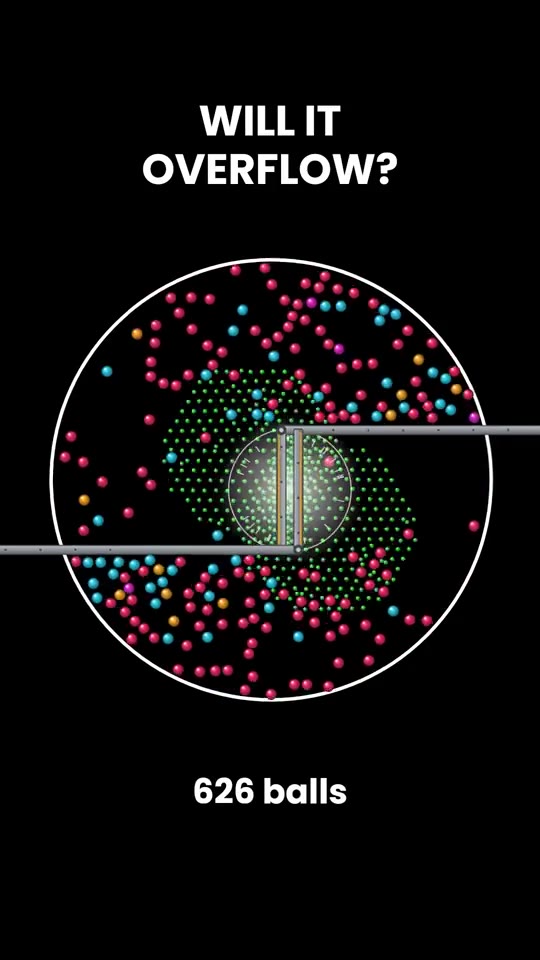
- Crusher. A hydraulic press traps a few balls, crushes them, and they burst out as many more, in a new colour. It repeats until the ring is full and shatters.
- Escape. One ball at a time bounces inside a spinning neon ring with a single gap. Every bounce plays the next note of a melody. If its time runs out, it turns grey and stays as an obstacle.
- Grow. One ball gets a little bigger and changes colour on every bounce, faster and faster, until it fills the ring and pops.
- Gates. Balls drop through pegs and moving gates like ×2, ×3 and +5, and pile up in a cup at the bottom.
- Splitter. Every ball that touches the spinning bar splits in two, until the box is full.
- Battle. Two arenas race to break their stack of health bars. Every hit on the floor deals damage by a maths rule: the n-th hit of a square ball does n², of a factorial ball n!. Will 1000 square balls beat one factorial ball? The maths decides.
- Merge. Items drop into a rainbow flask. Two of the same merge into the next, bigger one, all the way up to the final form.
- Wave. A sheet of a thousand orbs falls onto a glass plate and bounces forever, each one a little out of step, so the sheet keeps turning into domes, ripples and crowns.
Or press Surprise me and let Avenlo choose.
Everything is yours to change
- The size of the balls, how fast everything moves, and how many balls there are.
- The shape of the container: circle, square, hexagon, octagon or triangle.
- The colours: a ready palette, one colour for every ball, and your own background and container colours.
- The text: your own title and second line, a live counter, the font, and your handle on screen.
- The sound: impact sounds, a bounce melody (or none), and the ending: the container shatters, dissolves, or nothing at all.
- A variation number. The same number with the same settings always makes the same video. Roll the dice for a new one.
There is no voice by default: these videos work without one. If you want a line at the start, such as Don't blink. It only needs one gap., switch on the voice-over and pick one of the free voices.
Your own photos, sounds and place
Make a Merge with your own things: upload a photo and a sound for each level, smallest first, such as a calf, a cow and a bull, or a pebble, a rock and a mountain. Every merge shows your next photo and plays its sound. A transparent PNG looks best; any other photo is cropped to a circle.
Choose where any simulation takes place: upload a photo of a room, a street or a field, and it fills the screen behind it. A slider sets how dark it is, so the balls stay easy to see.
How to make one
- Open the Studio and pick Simulation.
- Choose the simulation. The preview shows an example of it.
- Change whatever you like, or leave everything on Auto.
- Choose the length (30, 60 or 90 seconds) and press Generate. It is usually ready in under a minute.
Want a different colour or title afterwards? Open the video with Edit, change the options and re-render. The motion stays the same unless you ask for a new variation.
A Simulation costs the standard Studio price: 30 coins for 30 seconds, 50 for 60 and 75 for 90. Every price is on the pricing page, and you can see all our templates on the templates page.
Now go and make something people cannot stop watching.