Four new Simulations: Brick breaker, String battle, Territory war and Ice breaker
Since the Simulation template arrived, you have made crushers, escapes and battles by the hundred. Today it gets four new modes, all made for the same thing: a video people cannot stop watching until they know how it ends.
The four new modes
- Brick breaker. Balls bounce into rows of numbered blocks, and each number is how many hits a block can take. Broken blocks sometimes drop power-ups: more balls, big balls, or fire balls that burn straight through. You choose the rows, how strong the blocks are and how many balls start.
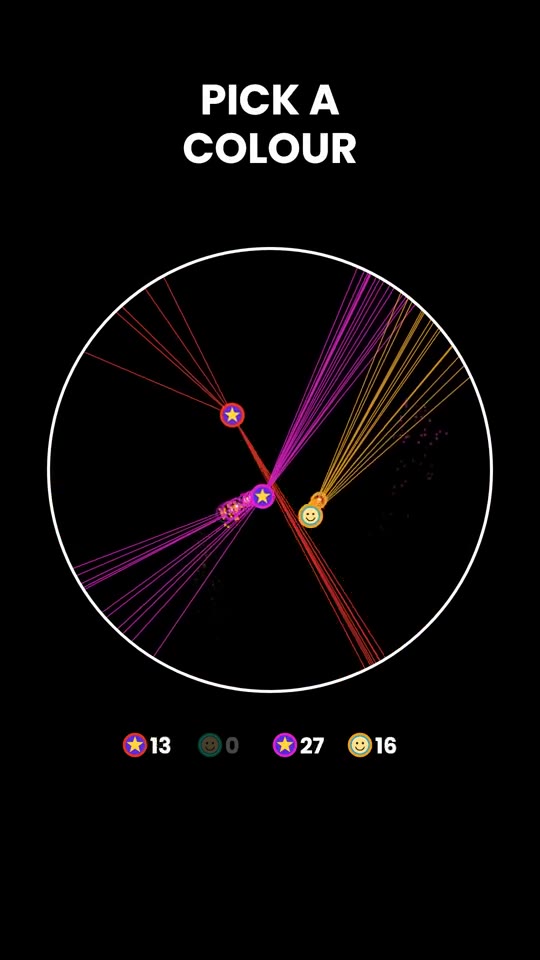
- String battle. Every ball holds a fan of strings in its own colour. When another ball touches a string, it snaps. Strings grow back wherever a ball last bounced, and a ball with no strings left is out. The last one standing wins. It is a perfect pick a colour video.
- Territory war. Four strategies paint a circle in their colour: a bouncing ray, a random blob, straight lines and a maze. Who owns the circle at the end? Give the teams your own names, or play with two or three.
- Ice breaker. A launcher fires balls into a circle full of ice. Every ball that hits the ice breaks a piece and is gone, and a new one shoots up. Bonus orbs add balls to the next wave. Will it all clear? You choose how much ice there is and how many balls the first wave has.
Every new mode is paced so the result arrives at about 80% of the video, with the winner or All clear! on the end card and your call to action after it.
Your sound, your pictures
- Sound. Keep the soft sound effects, switch them off, pick music from the library or upload your own. Prefer silence? Switch everything off.
- Pictures. In String battle, put your own picture on every ball, such as a face, a logo or a flag, under Ball pictures. Each one keeps a ring in its team colour, so viewers can still follow who is who.
- Everything else works as in every Simulation: colours, title, the live counter, the end card, a voice-over line if you want one, and a variation number for a new run.
How to make one
- Open the Studio and pick Simulation.
- Choose Brick breaker, String battle, Territory war or Ice breaker. The preview shows an example.
- Change whatever you like, or leave everything on Auto.
- Choose the length and press Generate.
The new modes cost the same as every Simulation: 30 coins for 30 seconds, 50 for 60 and 75 for 90. Every price is on the pricing page, and you can see all our templates on the templates page.
Which colour are you picking?